Hover me

The Camera Shake Preset Pack for Premiere Pro

$12.99

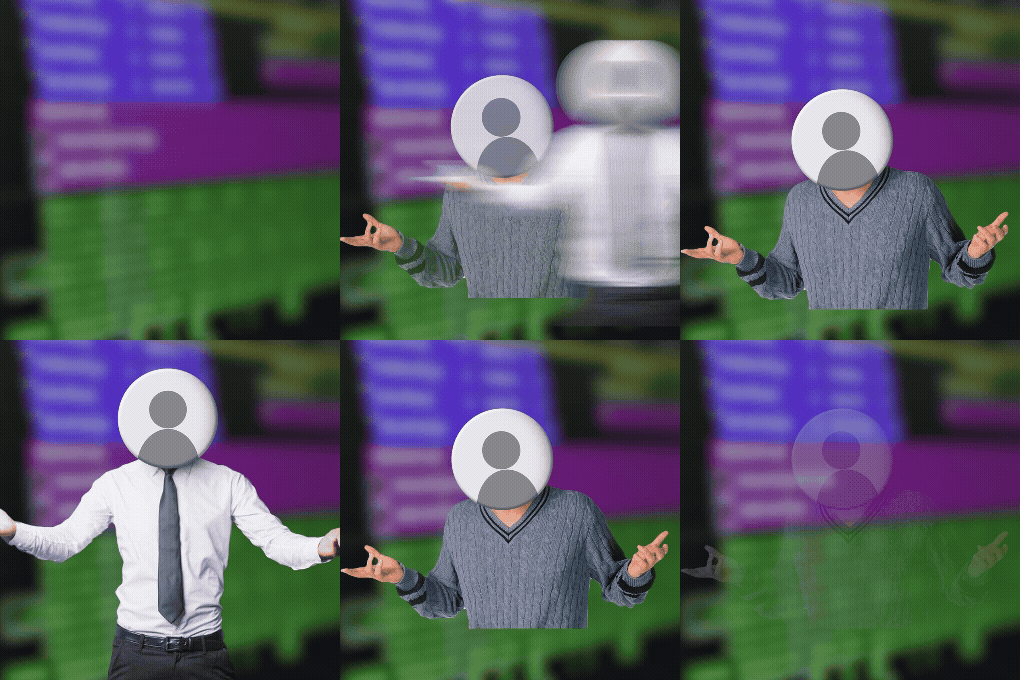
The easiest way to add some movement to your videos. Simply drop any of these presets onto an adjustment layer to add some camera shake/wobble to a scene. You can also drag these presets onto individual elements like text, images, and videos to add some extra shake.

Details

New & Updated! Now includes an additional three camera shakes, made using Adobe’s Film Impact tools.

The Camera Shake Presets Pack for Premiere Pro includes 15 presets that will have your videos smoothly shaking. These can add movement to the entire frame or a single element. Our team love adding them to character PNGs to bring them to life.

These are intended for editors of any level and they’re incredibly easy to use. There’s no real learning curve – just easy and awesome drag-and-drop effects. This preset pack was handmade by our founder Finzar.

If you are using a version of Premiere Pro older than 2022 you may encounter some issues with GPU accelerated effects. 

Thank you for purchasing our presets and supporting our shop. Happy editing!

Also included in: The Ultimate Bundle, The Ultimate Bundle PLUS, and The Ultimate Bundle MEGA

What’s inside?

Include 15 presets programmed by Storezar’s founder Finzar.

Three sets of light shakes, medium shakes, and heavy shakes; two different earthquake shakes; and one super smooth shake.

Plus, includes an additional three camera shake presets made with Adobe’s Film Impact tools.

Video Placeholder

How to install:

– Download your presets from your confirmation email and unzip your .ZIP file. Make sure you save your .PRFPSET file in a safe location on your computer.

– Open Premiere Pro and head to the effects tab. If you can’t see the effects tab, click ‘Window’, then enable ‘Effects’.

– In the effects tab, right-click on the ‘Presets’ section. You will see the option to ‘Import Presets’.

– Click ‘Import Presets’ and find the location where you saved your .PRFPSET presets.

– Double click the .PRFPSET file. Your import is now complete. You should now see your presets in the preset folder in Premiere Pro.

Additional information

Details

New & Updated! Now includes an additional three camera shakes, made using Adobe’s Film Impact tools.

The Camera Shake Presets Pack for Premiere Pro includes 15 presets that will have your videos smoothly shaking. These can add movement to the entire frame or a single element. Our team love adding them to character PNGs to bring them to life.

These are intended for editors of any level and they’re incredibly easy to use. There’s no real learning curve – just easy and awesome drag-and-drop effects. This preset pack was handmade by our founder Finzar.

If you are using a version of Premiere Pro older than 2022 you may encounter some issues with GPU accelerated effects. 

Thank you for purchasing our presets and supporting our shop. Happy editing!

Also included in: The Ultimate Bundle, The Ultimate Bundle PLUS, and The Ultimate Bundle MEGA